> For the complete documentation index, see [llms.txt](https://docs.balena.io/llms.txt). Markdown versions of documentation pages are available by appending `.md` to page URLs; this page is available as [Markdown](https://docs.balena.io/learn/develop/hardware/jetson-orin/jetson-orin-nano-devkit-nvme-prod.md).
# Nvidia Jetson Orin Nano 8GB Production module
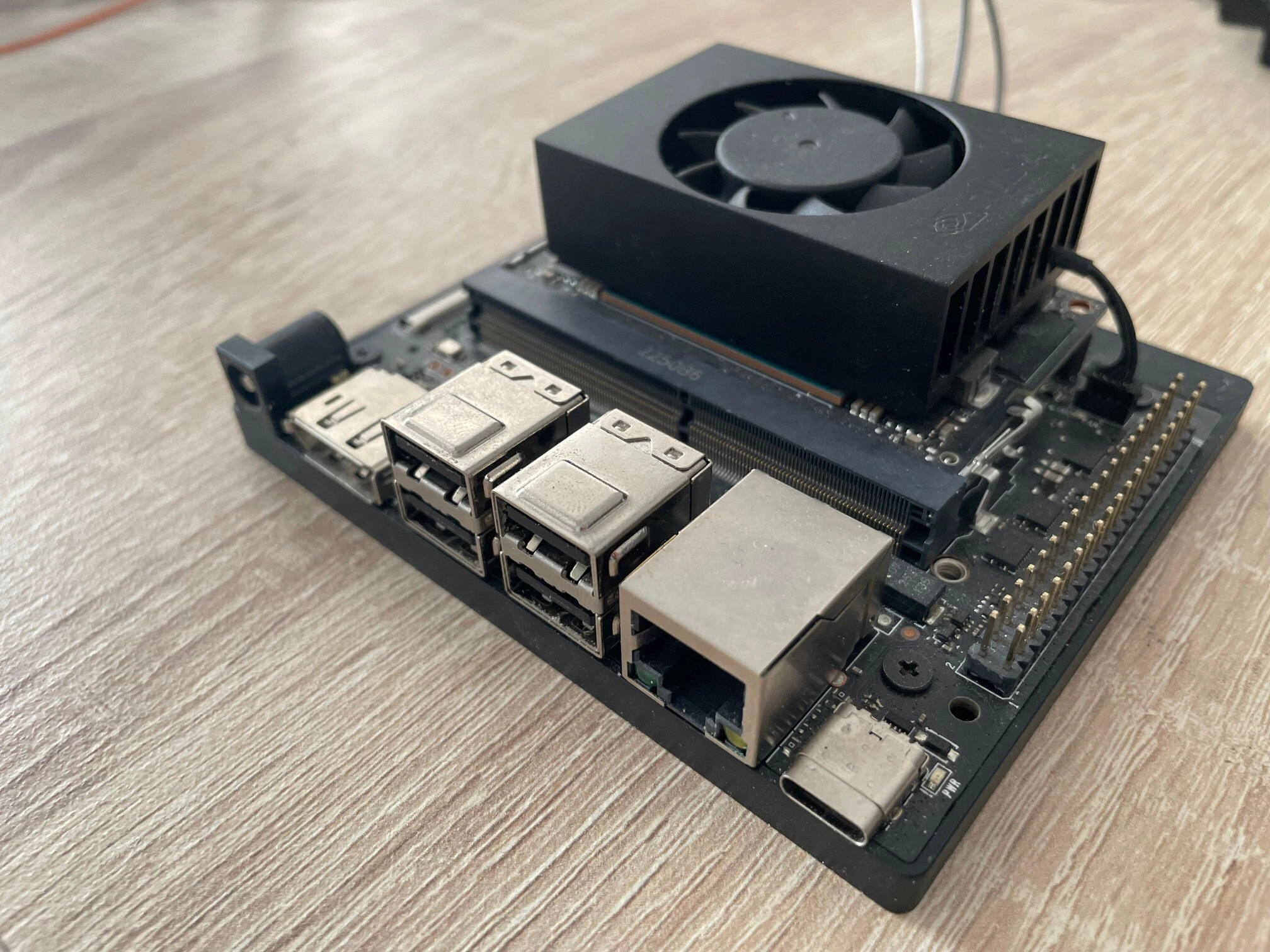
The Orin Nano production module has the part number 900-13767-0030-000, which can be observed on the bottom. The main difference from the Orin Nano SD - 900-13767-0050-000 - is that it does not have an SD card slot. This module can be used with a Jetson Orin Nano Devkit carrier board, along with the balenaOS image for the Jetson Orin Nano 8GB (SD) Devkit, provided that the corresponding kernel device-tree is configured in your balena-cloud device configuration page.
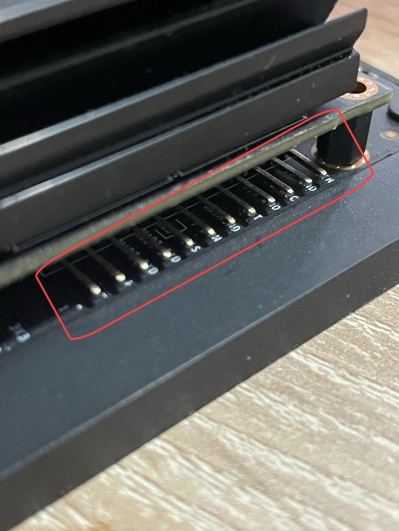
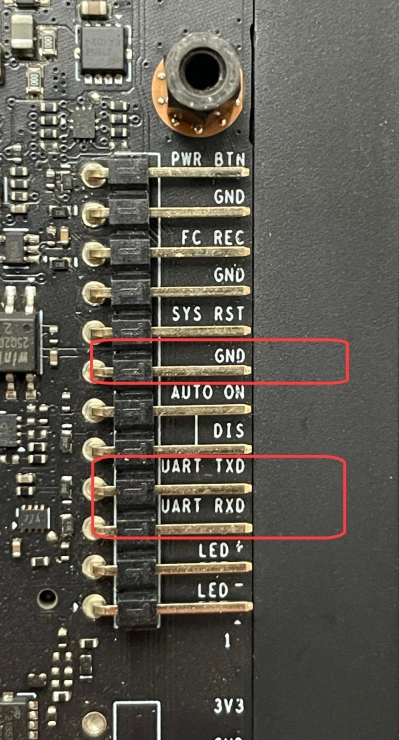
When this module is used with the carrier board provided by the Orin Nano Devkit, a debug interface is available on the UART TXD, UART RXD and GND pins, which are located underneath the Orin module. Additionally, a monitor can be connected to the board's Display Port.
The default internal storage used for provisioning balenaOS on the Orin Nano Production module is an NVMe drive, which needs to be attached to the carrier board prior to booting via a USB flash drive containing the balenaOS flasher image. If instead you would like to use other media, like for example an SSD as main storage, please consult the OS installer [target\_devices](/reference/os/configuration.md#target_devices) configuration option or the [alternative provisioning options](#alternative-provisioning-options) section.
#### **Checking your Jetson Orin's UEFI firmware version**
You can check which UEFI firmware version your Jetson Orin device is running either by connecting to your device's debug UART interface, or by attaching a display to the Orin's video port.
I want to use the debug UART interface
For this step you will need a USB to TTL converter cable. The USB to TTL converter's pins need to be connected to the UART TXD, UART RXD and GND pins on the Jetson carrier board, which are located underneath the Orin module. The other end of the cable should be plugged into the USB port of your host/development PC. Your host PC can connect to the Jetson device using a serial communication program like `minicom`
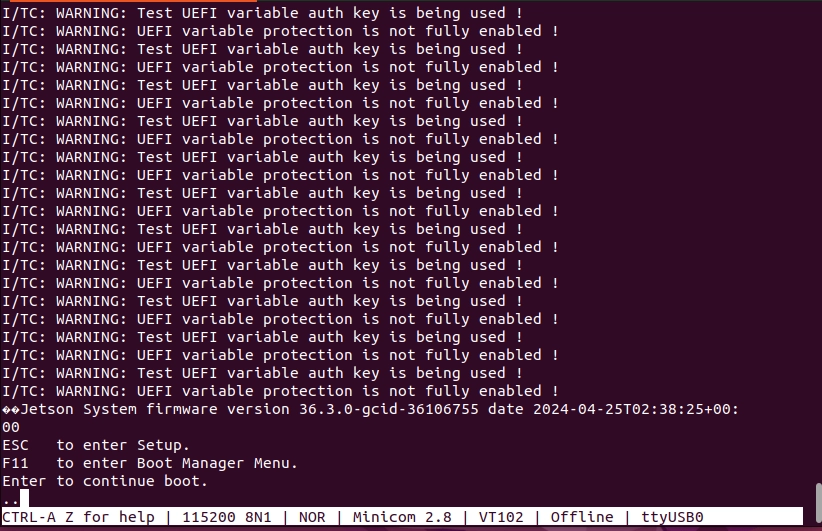
If you are using the UART interface, the UEFI firmware version will be printed in the boot sequence logs:
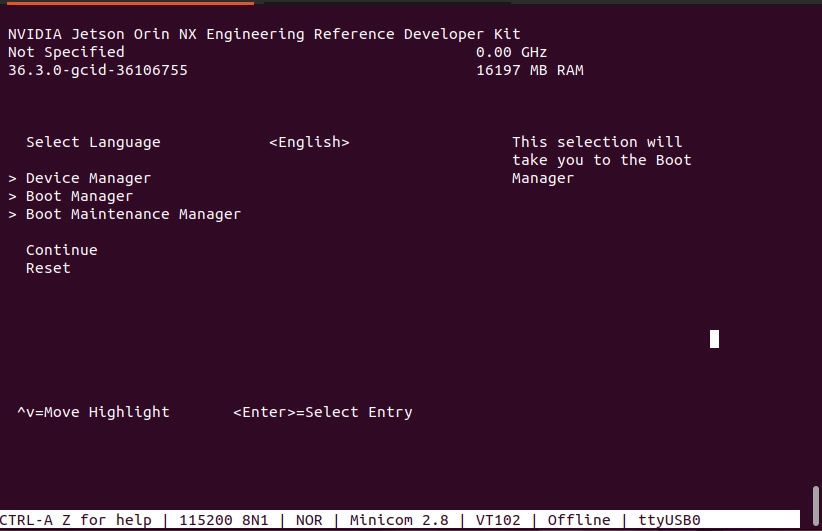
Alternatively, if booting is stopped in the UEFI menu by pressing `Esc`, the firmware version will be printed in the top-left corner:
If instead you would like to use a monitor and a keyboard, please expand the section below.
I want to use a monitor
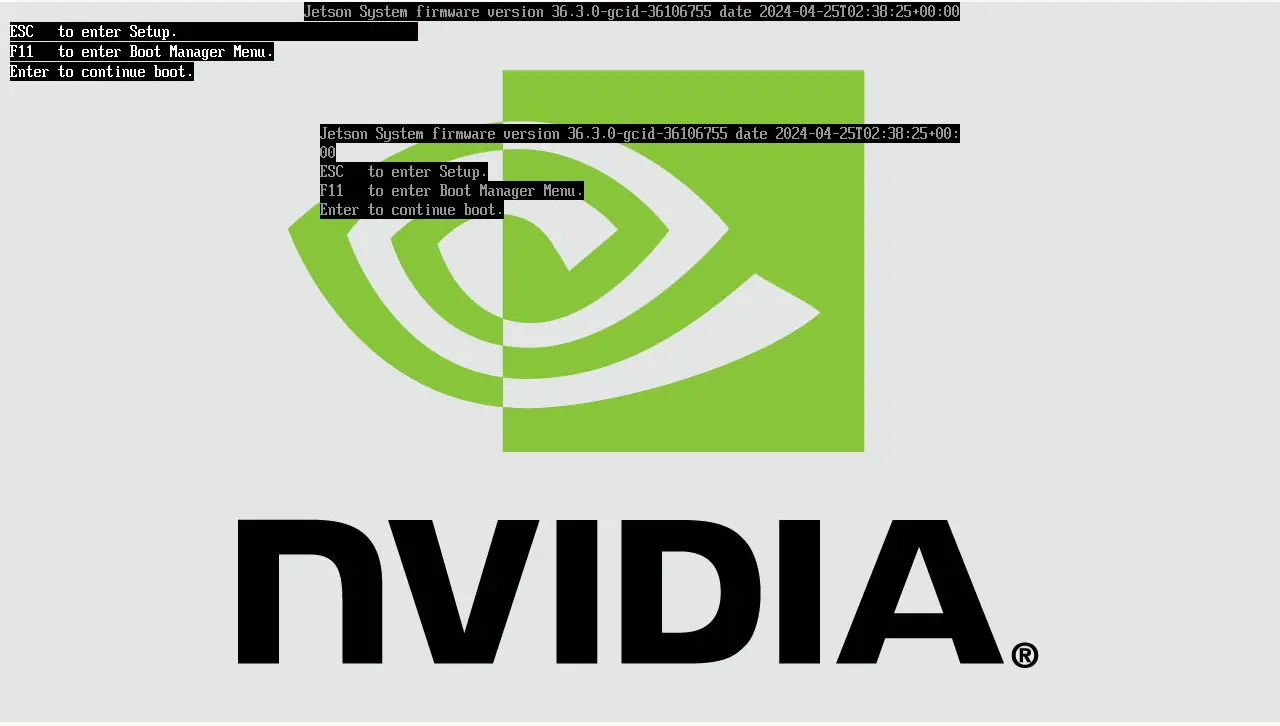
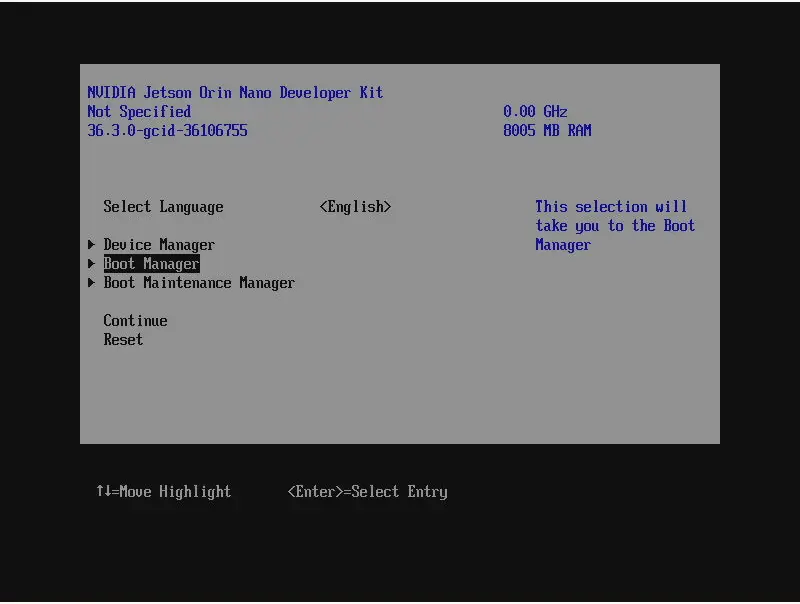
**A Display Port cable or Display Port to HDMI adapter is necessary for connecting your Jetson Orin Nano to a monitor.** Once the monitor is attached, the UEFI firmware version will be displayed at the top of the screen:
\
In case the UEFI firmware version on your device is older than v36.3.0, please update its firmware using the following guide:
* [Flashing Jetpack 6 using SDK Manager](https://developer.ridgerun.com/wiki/index.php/JetPack_6_Migration_and_Developer_Guide/Installing_JetPack_6/Flashing_with_SDK_Manager) 🔗
If for whatever reason checking the UEFI firmware version is not possible, flashing Jetpack 6 using the SDK Manager will guarantee your device has the latest firmware installed.
Once your device's UEFI firmware is v36.3.0 or newer, you can use a USB flash drive to provision it directly with balenaOS.
#### **Booting balenaOS flasher images from a USB flash drive**
If the firmware on your device is v36.3.0 or newer, inserting the USB flash drive with the balenaOS flasher image and connecting power to your device will provision the internal storage. In the unexpected event that your device does not boot the balenaOS flasher image from the attached USB flash drive automatically, use the following steps to manually select the USB flash drive for booting:
I want to use the debug UART interface
1. For this step you will need a USB to TTL converter cable. The USB to TTL converter's pins need to be connected to the UART TXD, UART RXD and GND pins on the Jetson carrier board, which are located underneath the Orin module. The other end of the cable should be plugged into the USB port of your host/development PC. Your host PC can connect to the Jetson device using a serial communication program like `minicom`
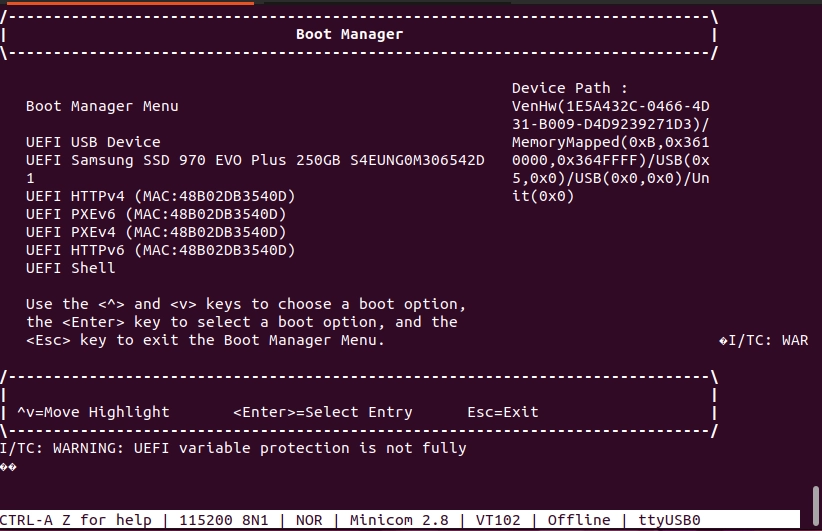
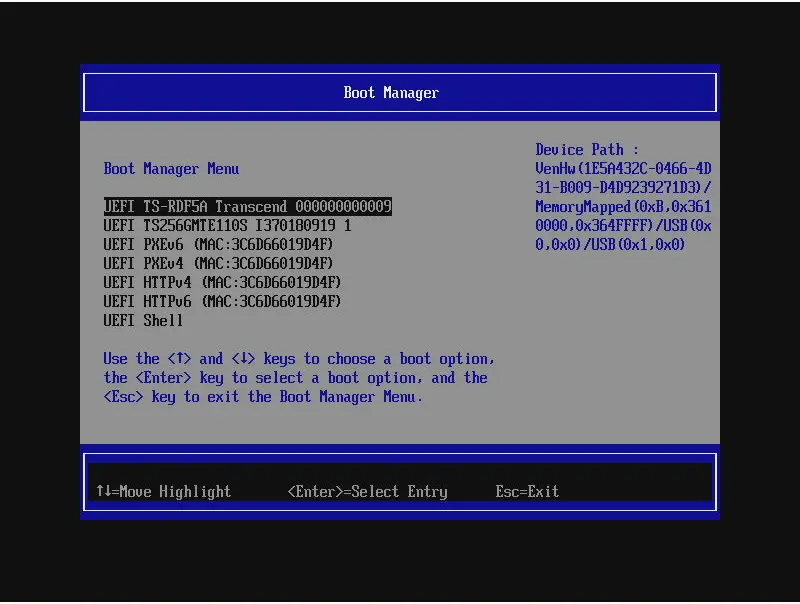
2. Power on the device and press `Esc` when prompted by the UEFI firmware, or `F11` to enter the Boot Manager Menu directly:
If `Esc` was pressed, navigate to the Boot Manager Menu:
3. Select the attached USB device as boot media:
4. Your device should boot from the attached USB flash drive and provision the internal storage. Once provisioning is complete and the device shuts down, the USB flash drive should be unplugged.
5. Remove and re-connect power to the carrier board.
6. Your device should appear in your application dashboard within a few minutes.
Should you encounter any unexpected issues while provisioning your device, please follow the instructions for our [Jetson Flash](https://github.com/balena-os/jetson-flash) tool to flash your device in recovery boot mode.
If instead you would like to use a monitor and a keyboard, please expand the section below.
I want to use a keyboard and monitor
**A Display Port cable or Display Port to HDMI adapter is necessary for connecting your Jetson Orin Nano to a monitor.**
1. Attach a USB keyboard and a monitor to the device.
2. Power on the device and press `Esc` when prompted by the UEFI firmware, or `F11` to enter the Boot Manager Menu directly:
3. Select the attached USB flash drive as boot media:
4. Your device should boot from the attached USB flash drive and provision the internal storage. Once provisioning is complete and the device shuts down, the USB flash drive can be unplugged.
5. Remove and re-connect power to the carrier board.
6. Your device should appear in your application dashboard within a few minutes.
Should you encounter any unexpected issues while provisioning your device, please follow the instructions for our [Jetson Flash](https://github.com/balena-os/jetson-flash) tool to flash your device in recovery boot mode.
#### **Post-provisioning UEFI firmware update**
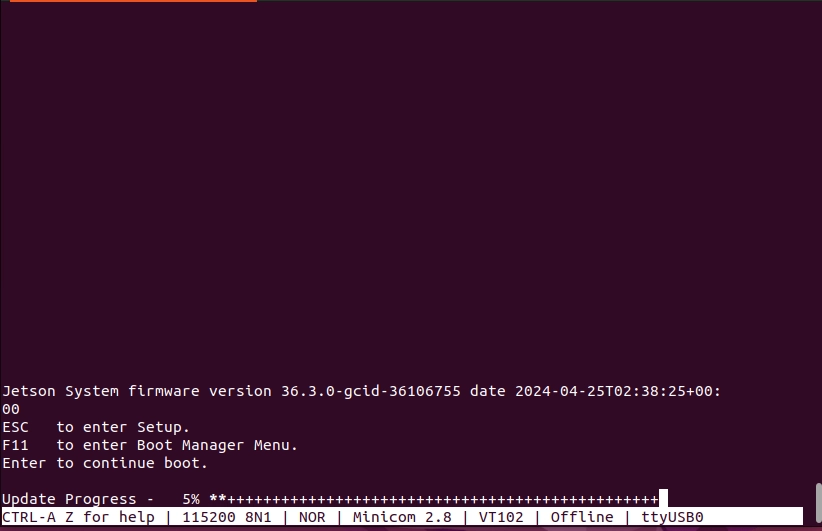
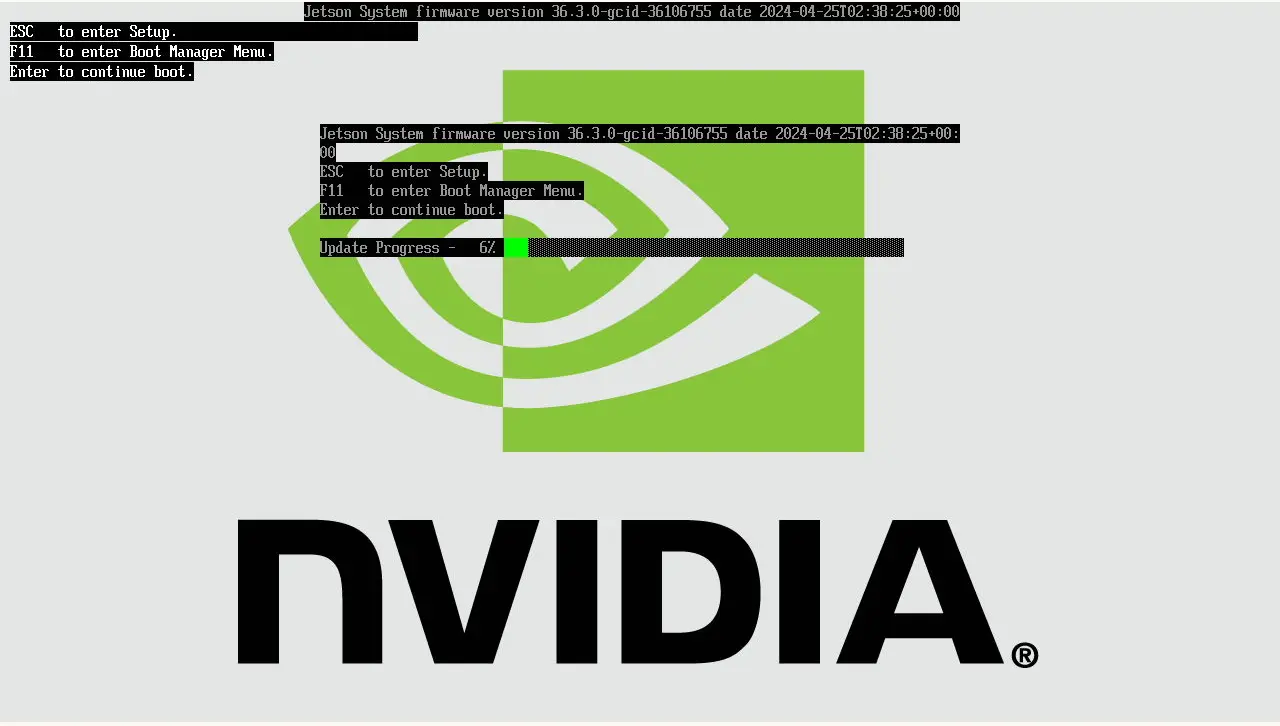
Once your device has been provisioned with balenaOS and powered back-on, it will attempt to update the UEFI firmware automatically. The status of the UEFI firmware update process is depicted by a progress bar on the debug UART interface, as well on the display, if connected.
{% hint style="warning" %}
Please do not interrupt the UEFI firmware process by resetting or cutting power to the device.
{% endhint %}
If you are using the debug UART, the firmware update process will be displayed by a progress bar similar to the one below:
If a display is connected to the device, the firmware update process will also be rendered on the screen:
#### **Alternative provisioning options**
By default, most Jetson Orin devices need an internal storage media and a USB flash drive in order to be provisioned. When using the Jetson Orin Nano Devkit with a Jetson Orin Nano 8GB production module, an NVMe drive has to be attached to the carrier board before starting the provisioning process.
* If you would like to use a USB flash drive to flash an NVMe drive attached to your Jetson Orin Nano, simply insert the USB flash drive into your device and connect power to the board.
* If you would like the same SD-Card, USB flash drive or NVMe on which the balenaOS flasher image has been written to be used as both install and boot media, use both the [installer.migrate](/reference/os/configuration.md#migrate) and [installer.target\_devices](/reference/os/configuration.md#target_devices) configuration options:
```json
"installer": {
"migrate": {
"force": true
},
"target_devices":"mmcblk0 sda nvme0n1"
}
```
The first medium found in the `target_devices` list will be used for provisioning and it will become the main storage of your device once flashing is complete.
Available target devices are:
* `mmcblk0` - SD-CARD
* `sda` - removable drives like USB flash drives or SSDs
* `nvme0n1` - NVMe drive. Unless overriden, this is the default for the Jetson Orin Nano Devkit
How do I set this configuration in my balenaOS image?
1. Make sure you have [jq](https://jqlang.org/download/) and the [balena CLI](/reference/balena-cli/latest.md) installed on your host/development PC. You can obtain it from [here](https://github.com/balena-io/balena-cli/blob/master/INSTALL.md).
2. Download the balenaOS image from the balenaCloud dashboard or use the balena CLI to obtain one:
```shell
balena os download jetson-orin-nano-devkit-nvme -o balena.img
```
3. Download a configuration file from your balenaCloud dashboard or generate a new one using the balena CLI:
```shell
balena config generate --fleet balena_cloud_org/balena_cloud_fleet --version 6.4.0 --network ethernet --appUpdatePollInterval 10 --output config.json
```
Replace `balena_cloud_org` and `balena_cloud_fleet` with your actual balena cloud organization and fleet.
4. Depending your desired provisioning setup, set one or more of the available installer options:
```shell
tmp=$(mktemp)
jq '.installer.migrate.force |= true' config.json > ${tmp}
mv ${tmp} config.json
```
```shell
tmp=$(mktemp)
jq '.installer.target_devices |= "mmcblk0 sda nvme0n1"' config.json > ${tmp}
mv ${tmp} config.json
```
5. Use the balena CLI to inject the modified configuration file in the newly downloaded image:
```shell
sudo balena config inject config.json -d balena.img
```
6. Write the balenaOS image (balena.img) to your SD-CARD, USB flash drive or NVMe. We recommend using [Etcher](https://etcher.balena.io).
7. Ensure the power cable is disconnected from the Orin Nano Devkit.
8. Insert the freshly flashed SD-CARD, USB flash drive or NVMe drive into the Devkit and connect its power cable.
9. Once provisioning is complete, the board will perform one of the following actions:
* restart and boot balenaOS automatically, if [installer.migrate.force](/reference/os/configuration.md#migrate) has been set in [config.json](https://docs.balena.io/learn/develop/hardware/jetson-orin/pages/LdQx2ccjhF5sXnDK5Nt6#about-config.json).
* shut down if [installer.migrate.force](/reference/os/configuration.md#migrate) has not been set in [config.json](https://docs.balena.io/learn/develop/hardware/jetson-orin/pages/LdQx2ccjhF5sXnDK5Nt6#about-config.json) Unplug the external flasher medium and then remove and re-connect the power cable to the Devkit.
10. Your device should appear in your application dashboard within a few minutes.
---
# Agent Instructions
This documentation is published with GitBook. GitBook is the documentation platform designed so that both humans and AI agents can read, navigate, and reason over technical content effectively. Learn more at gitbook.com.
## Querying This Documentation
If you need additional information that is not directly available in this page, you can query the documentation by asking a question.
Perform an HTTP GET request on the following URL with the `ask` and `goal` query parameters:
```
GET https://docs.balena.io/learn/develop/hardware/jetson-orin/jetson-orin-nano-devkit-nvme-prod.md?ask=&goal=
```
`ask` is the immediate question: it should be specific, self-contained, and written in natural language.
`goal` is what the user is ultimately trying to achieve, the reason they need the answer. Sharing it helps GitBook give you a better, more relevant answer. A goal is most helpful when it describes the outcome the user wants rather than restating the question. For example, with `ask=how do I create an API token`, a goal like `automate deployments from our CI pipeline` lets GitBook tailor the answer to that use case.
The response will contain a direct answer to the question and relevant excerpts and sources from the documentation.
Use this mechanism when the answer is not explicitly present in the current page, you need clarification or additional context, or you want to retrieve related documentation sections.